AI FOOD PHOTOGRAPHY
AI Food Photography Using Your Real Food Photos
Turn an existing food photo into a polished, studio-quality image with controlled AI editing.
Choose lighting, backgrounds, surfaces and styling without writing prompts, while keeping the real dish at the centre of the image.
Start with your real dish. Change the presentation, not the food.
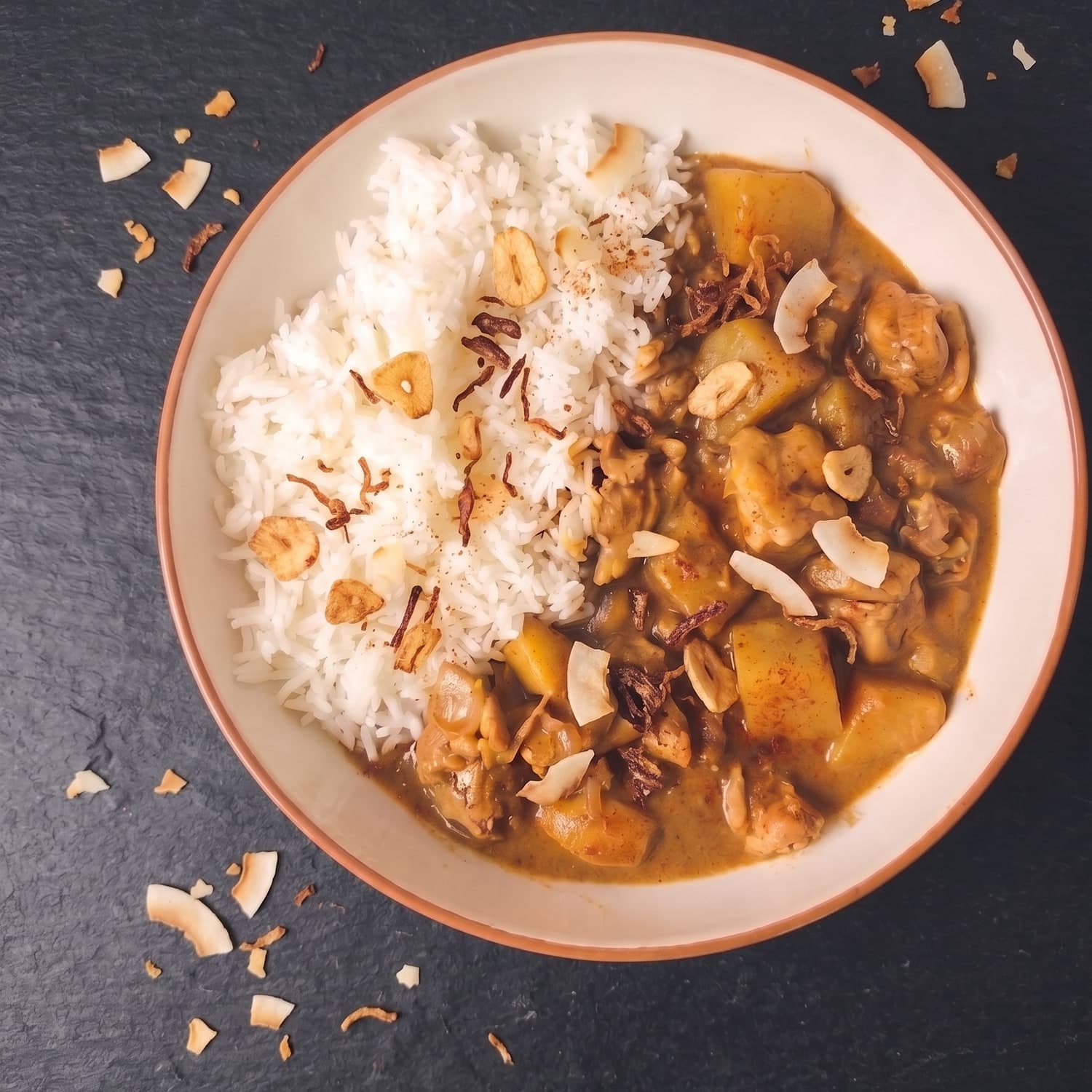
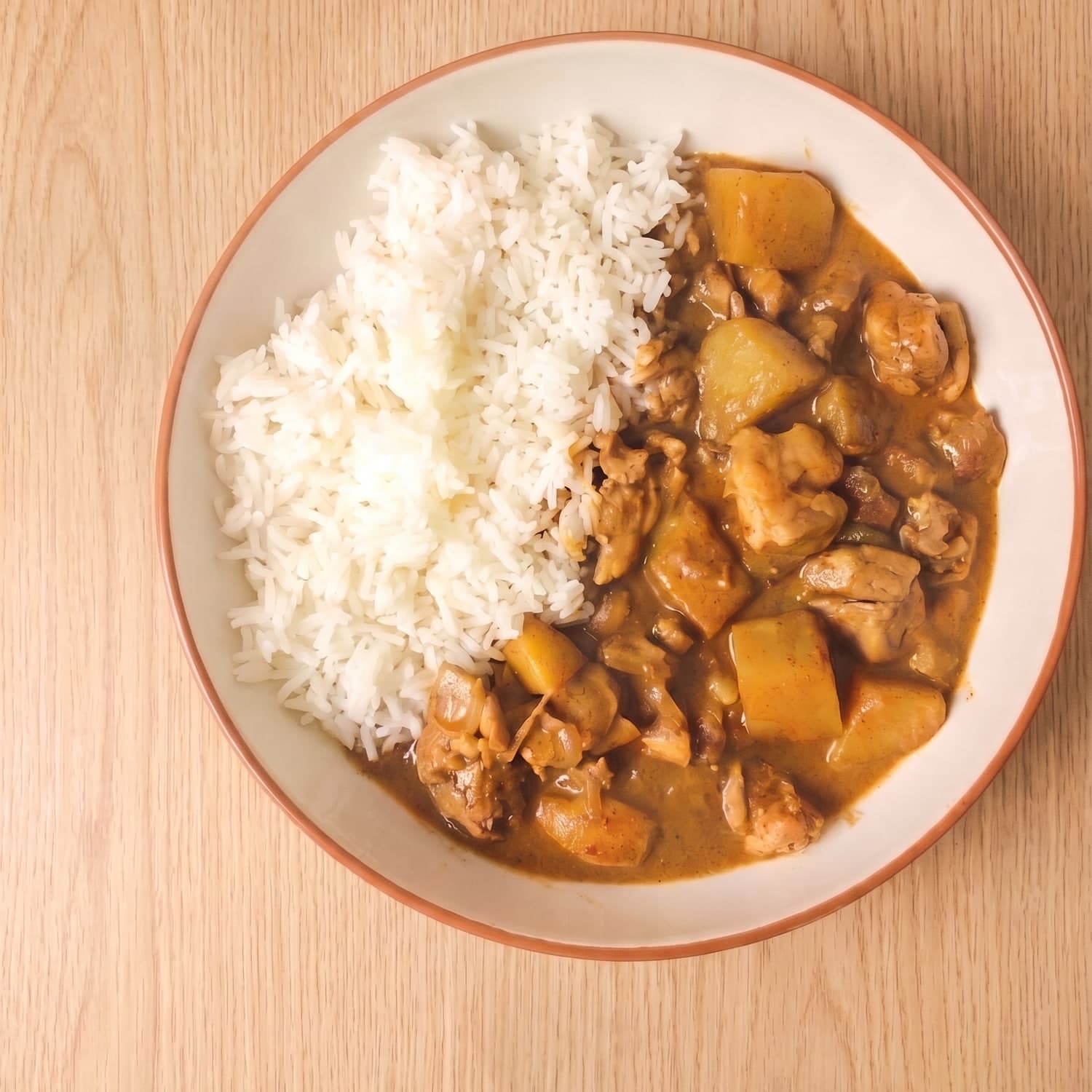
AI food photography without starting from scratch
Many AI image tools begin with a text prompt and generate a new image.
GridMenu takes a different approach.
Upload a real photo of your food and use simple controls to change how it is presented. Adjust the scene around the dish while preserving the food itself as the source of truth.
That means less prompt-writing, fewer unpredictable changes and a much clearer connection between the image and the food you actually serve, sell or promote.
| Generic AI image generation |  GridMenu GridMenu |
|---|---|
| Starts from a prompt | Starts from your real food photo |
| Can invent or change the dish | Designed to preserve the dish |
| Requires prompt iteration | Uses simple visual controls |
| Results can change unpredictably | Built for controlled editing |
| Creates a new image concept | Improves the presentation of your existing image |
From everyday food photo to campaign-ready image
1. Upload your real food photo
Start with a photo taken on a phone, camera or existing brand asset.
2. Choose what you want to change
Use simple controls for lighting, tabletop surface, studio backdrop, and garnishes and styling.
3. Generate your new image
GridMenu applies the requested changes while keeping the original dish as the visual reference.
4. Create variants for different channels
Turn one source photo into versions for restaurant menus, delivery apps, Instagram and social media, websites, marketing campaigns, food-brand content and product launches.
Control the image, not the prompt
Getting a good AI image should not depend on learning how to write increasingly complicated prompts.
GridMenu replaces prompt engineering with purpose-built food photography controls.
Instead of repeatedly asking a model to remove the spoon but keep the fork, change the background without moving the plate, or improve the lighting without altering the dish, you choose the change you want. GridMenu handles the generation.
Less prompting. More control.
More on this in Remove the Spoon, Not the Fork.
Keep the food real
Professional presentation should not require inventing a different dish.
GridMenu is designed around a simple principle:
Transform the presentation. Preserve the identity of the food.
Your uploaded image remains the reference point throughout the editing process.
That is useful when visual accuracy matters, for restaurants, food brands, menu designers, photographers and marketers who want better imagery without replacing the underlying product.
Built for people who work with food imagery
GridMenu can support a range of food photography workflows.
Restaurants and ghost kitchens
Improve menu and delivery-platform images without organising a full photoshoot for every update.
Food brands
Create campaign-ready variations from existing product and recipe photography.
Designers
Turn inconsistent client-supplied food photos into cleaner assets for menus, websites and campaigns.
Social media marketers
Create multiple visual treatments from a single real food photo.
Food photographers
Use AI as an extension of the photography workflow for controlled variations and post-production.
Content creators
Create more polished food imagery while keeping your original dish recognisable.
See what changes, and what stays the same
These pairs reuse the same dishes shown on the GridMenu homepage. The food stays recognisable. The presentation changes.
BeforeAfterBefore AfterBefore
 After
After Before
 AfterBefore
 AfterBefore
 After
AfterDesigned specifically for food photography
General-purpose AI image tools can produce impressive results, but food imagery introduces a specific problem: the dish often needs to remain recognisable.
GridMenu is designed around that constraint.
Rather than treating each edit as a new image-generation task, GridMenu focuses on controlled changes to the presentation of an existing food photo.
- Real food photo as the starting point
- No prompt engineering required
- Food-specific controls
- A consistent editing workflow
- Suitable for repeated content production
- Multiple output formats
- Designed around preserving the dish
Why invented dishes fail in practice: The problem with AI imagery.
Create food imagery for the channels you actually use
One source photo can become multiple assets without repeating the entire photography process.
Delivery square
1:1 thumbnails for delivery apps and menu cards
Delivery landscape
16:9 slots and marketplace banners
Instagram feed
4:5 portrait posts
Menu tile
Square assets for menus and dish grids
Transparent cut-out
PNG dish assets for layouts and ads
Credit packs for extra generations are on the pricing page.
See what GridMenu can do with your food photo
Upload a real food image and create a studio-quality version using simple, controlled editing options.
No prompt engineering required.
Try GridMenu FreeStart with free credits. No professional photography setup required.