
Photo Studio
Remove the Spoon, Not the Fork
Why AI image editing needs controls, not better prompts
15 September 2026
A commercial food photographer recently described what AI had done to part of their job. They work on photography and video for food brands around the world (restaurants make up only a small part of their business) and said more clients were switching to AI for product and recipe imagery.
Further down the same r/foodphotography discussion, another photographer captured a very different cost of that transition:[1]
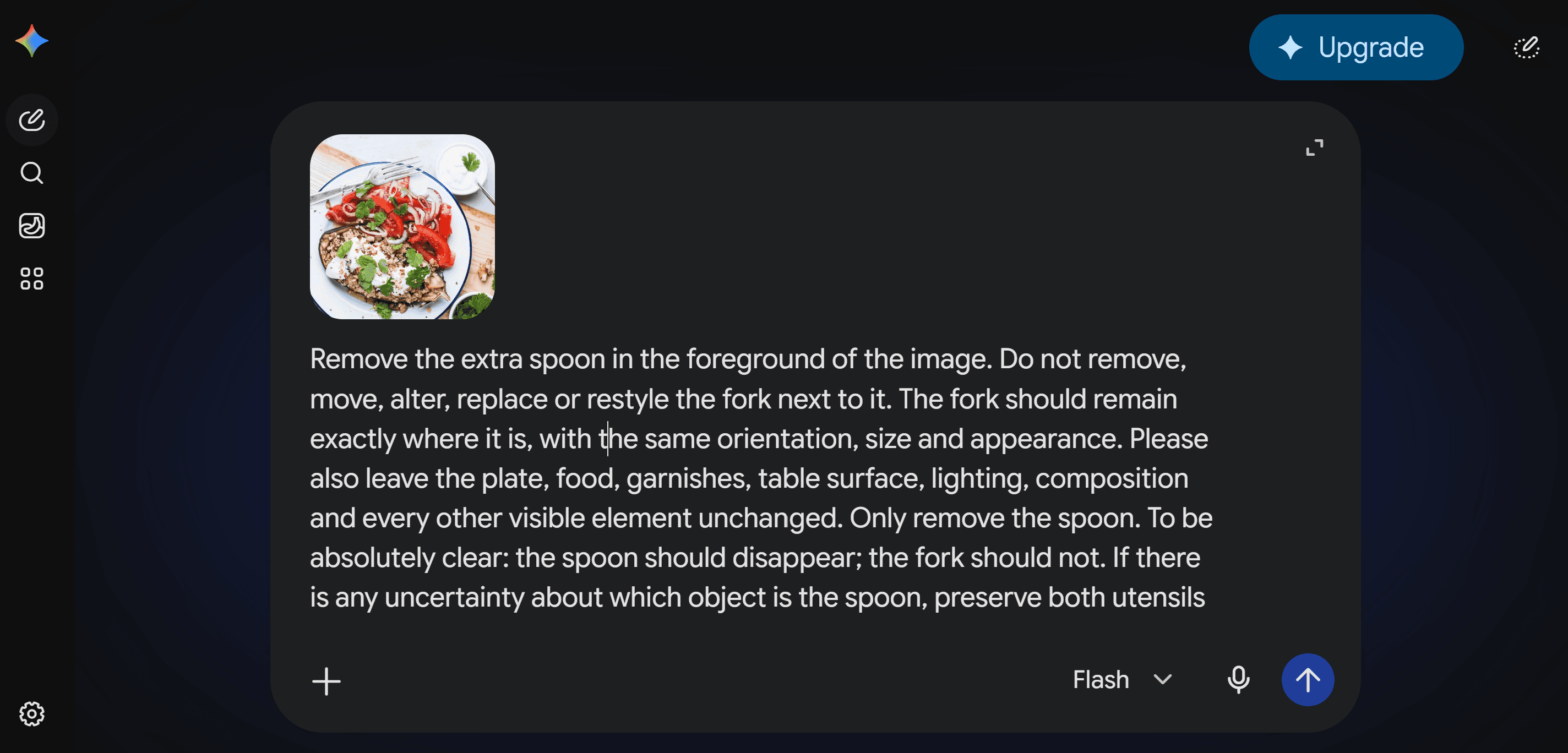
I’d rather be taking actual photos and improving my skills, but instead I’m expected to sit there for hours prompting a machine. “Remove the extra spoon in the foreground.” “Remove the SPOON, not the fork.” “Put the fork back in.”
Another product photographer in the thread put it more simply: AI editing was frustrating because it “looks worse and doesn’t even save much time.”
That gets to the heart of a problem with generative image editing: the models can be remarkably capable, but the interface we often give people is still a blank text box.
For creative exploration, that can be liberating. For precise commercial work, it can become exhausting.
There’s even a term emerging for this: prompt fatigue. Google Cloud has used the phrase to describe the burden of repeatedly experimenting with instructions and examples to coax the right result from an AI system.[2] For commercial creative work, that fatigue becomes particularly obvious when a supposedly simple edit turns into a cycle of prompt, generate, inspect, correct and repeat.
The prompt becomes another job
Google’s own guidance for Gemini image generation and editing tells users to be “hyper-specific”, provide context and intent, iterate and refine, and use step-by-step instructions for more complex scenes.[3]
Those are sensible recommendations. They are also a clue to the problem.
If you simply want to make a food image warmer, remove a garnish, change the surface or create a cleaner social crop, you shouldn’t need to become an expert in describing lighting, composition, camera position and everything that must not change.
Natural language is flexible. That is one of its strengths, and one source of ambiguity.
“Remove the spoon” sounds perfectly clear to a human. A generative model has to determine which spoon you mean, understand what surrounds it, reconstruct whatever was hidden behind it and preserve everything else that matters.
Sometimes it does exactly that.
Sometimes it removes the fork as well.
Structure beats repeated negotiation
One way AI systems become easier to control is by introducing more structure.
JSON is one familiar example. Instead of expressing everything as free-form prose, information can be represented as explicit fields and values. Google itself supports structured Gemini outputs using JSON Schema, allowing developers to constrain model responses to a predefined structure.[4]
That does not mean JSON is a magic image prompt, or that pasting JSON into a chatbot automatically produces better pictures.
The useful idea is structure.
For a food image, concepts such as lighting, surface, backdrop and subject can be treated as distinct attributes rather than repeatedly renegotiated through paragraphs of prose.
Creators have already demonstrated JSON-style workflows with Gemini image models. GridMenu did not invent that idea. The opportunity is to turn principles like these into a useful product rather than another technique users have to learn.[5]
The best prompt can be no prompt at all
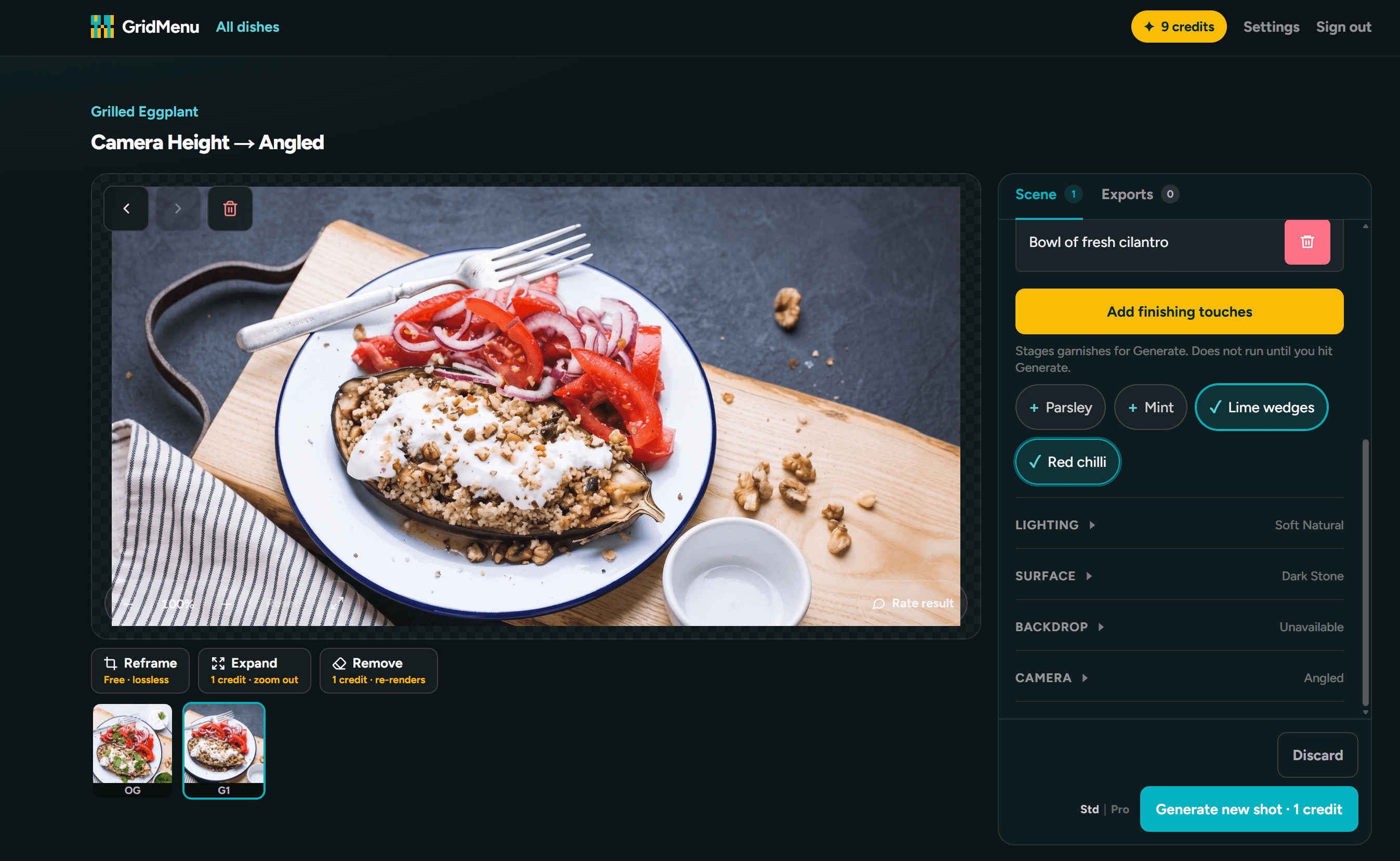
GridMenu starts with a real food photograph and gives the user controls for the changes they actually want to make: lighting, backdrop, surface, crop, angle, removals, garnishes and other presentation choices.
Behind those controls, GridMenu translates intent into structured instructions for the image model.
The user doesn’t need to know the right prompt vocabulary. They don’t need to understand JSON. And they shouldn’t have to keep saying:
Keep the dish the same.
No, exactly the same.
Put the fork back.
The dish remains the source of truth. The aim is to change its presentation while constraining changes that were never requested.
That does not make generative AI deterministic. Results can still vary, and there are edits a model simply cannot make reliably. But a purpose-built interface can reduce ambiguity before the model receives the request.
Sometimes the AI needs to invent pixels
There is an important wrinkle: not all generated content is undesirable.
If you remove an object from a photograph, something has to replace the pixels underneath it. In computer vision, this is generally called inpainting. Google Research describes text-guided image inpainting as making a localised edit to a selected region while keeping the result consistent with the source image.[6]
Likewise, extending an image beyond its original frame requires the model to synthesise visual information the camera never captured, commonly called outpainting or generative expansion.
That kind of invention can be useful. The important question is how much invention is acceptable.
Removing a stray spoon and reconstructing a small area of tabletop is relatively constrained. Asking a model to turn an overhead photograph into an entirely front-facing scene may require it to invent large parts of the environment, table, plate and food that were never visible.
So our principle is simple:
AI should remove work, not create a new profession
There is no shortage of pressure on companies to “use AI”. But adding AI to a workflow is not automatically an improvement.
If a photographer, marketer or designer has to spend twenty minutes negotiating with a model to remove a spoon, prompt fatigue isn’t a user problem - it is a workflow problem. The technology may be impressive while the experience is still poor.
The more useful application of AI is often quieter: hide the complexity, narrow the choices to the ones that matter, preserve what the user already got right and make the result easier to repeat.
That is the idea behind GridMenu.
Control the image, not the prompt.