
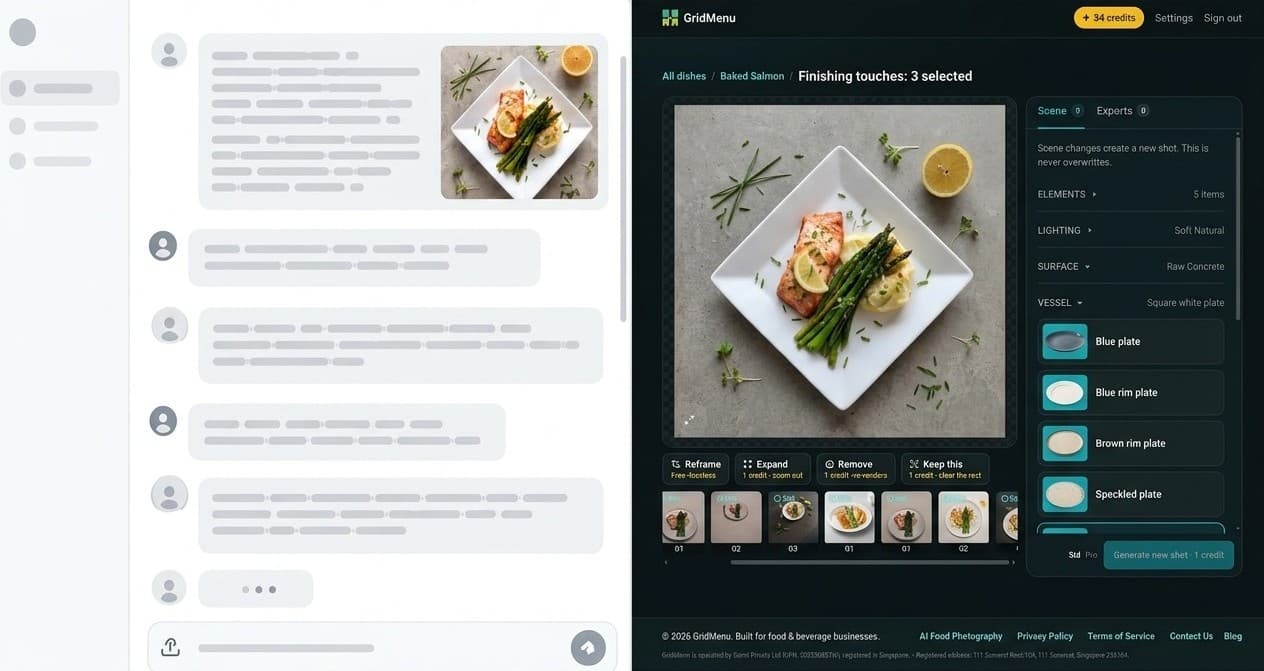
Photo Studio
AI-Native Software Shouldn't Look Like a Chatbot
We still ask each other, “What do you use AI for?” One day that might sound as strange as asking, “What do you use electricity for?”
6 October 2026
 Leon Clements, founder of GridMenu
At conferences, in offices, over lunch, a question comes up constantly:
“So, what do you use AI for?”
Writing. Research. Coding. Images. Meeting notes. Presentations.
It makes sense. For many people, generative AI arrived through a chat window. ChatGPT, Copilot and similar tools made extraordinary capability accessible through one simple interaction: type what you want and see what happens.
But we may be starting to confuse the interface that introduced us to AI with the interface AI software should ultimately have.
When prompts repeat, the interface should probably change
We recently wrote about prompt fatigue in AI image editing: repeatedly explaining what should change, what should stay untouched, and what the model accidentally changed last time.
That becomes more important as AI moves from experimentation into repeatable business workflows.
If a marketer, in creating or editing a photo, keeps writing variations of:
Make the lighting softer, use a warm wooden surface, keep the product unchanged, remove the distracting object and crop it for Instagram.
then the intent is no longer particularly mysterious. The task already has structure. Only the values are changing, all of which could be wired to controls, not just text:
Make the [lighting] [softer], use [a warm wooden surface], keep the product unchanged, remove [the distracting object] and crop it for [Instagram].
The application can still translate those selections into detailed model instructions behind the scenes. The user should not have to manage that complexity.
Nielsen Norman Group has made a similar case from the UX side. Its research argues that AI chat is not always the answer and warns against reaching for conversational AI before asking whether another interaction would serve users better.[1] More recent NN/g work on buttons and checkboxes in generative interfaces shows how controls can reduce typing and memory burden while helping users provide useful context.[2]

Use chat where you would actually chat
None of this means chat is a bad interface.
Conversation is useful when the conversation itself adds value: troubleshooting an unfamiliar problem, exploring an idea, asking follow-up questions, getting support, or working through something where the destination is not yet clear.
But a prompt box should not become the fallback because a product has not yet worked out how to translate common user intent into an interface.
Even something apparently open-ended like:
Make this feel more like a summer campaign for a premium Mediterranean brand.
might become chat-less if it is a common workflow. Season, mood, market, brand positioning and visual references can all become understandable choices when those decisions repeat often enough.
Microsoft Research’s Guidelines for Human-AI Interaction emphasise efficient invocation, efficient correction, contextually relevant information and user control.[3] Those are interface problems, not prompt-engineering problems.
The “Ask AI” button can be an organisational shortcut
There is another reason chat boxes appear everywhere: they are comparatively easy to add to an existing product.
The temptation is understandable. Software providers are under pressure to demonstrate an AI strategy, while redesigning an established workflow around AI is much harder than adding an “Ask AI” panel.
But the evidence points towards workflow design as the more valuable work.
In its 2025 global AI survey, McKinsey found that workflow redesign had the largest effect, among the organisational attributes it tested, on whether companies reported EBIT impact from generative AI. Yet only 21% of respondents whose organisations used GenAI said they had fundamentally redesigned at least some workflows.[4]
Gartner reported in 2026 that at least half of GenAI projects had been abandoned after proof of concept by the end of 2025, citing unclear business value, poor data quality, inadequate controls and escalating costs among the reasons.[5]
Adding AI is relatively easy.
Working out how the product should behave differently because AI exists is much harder.
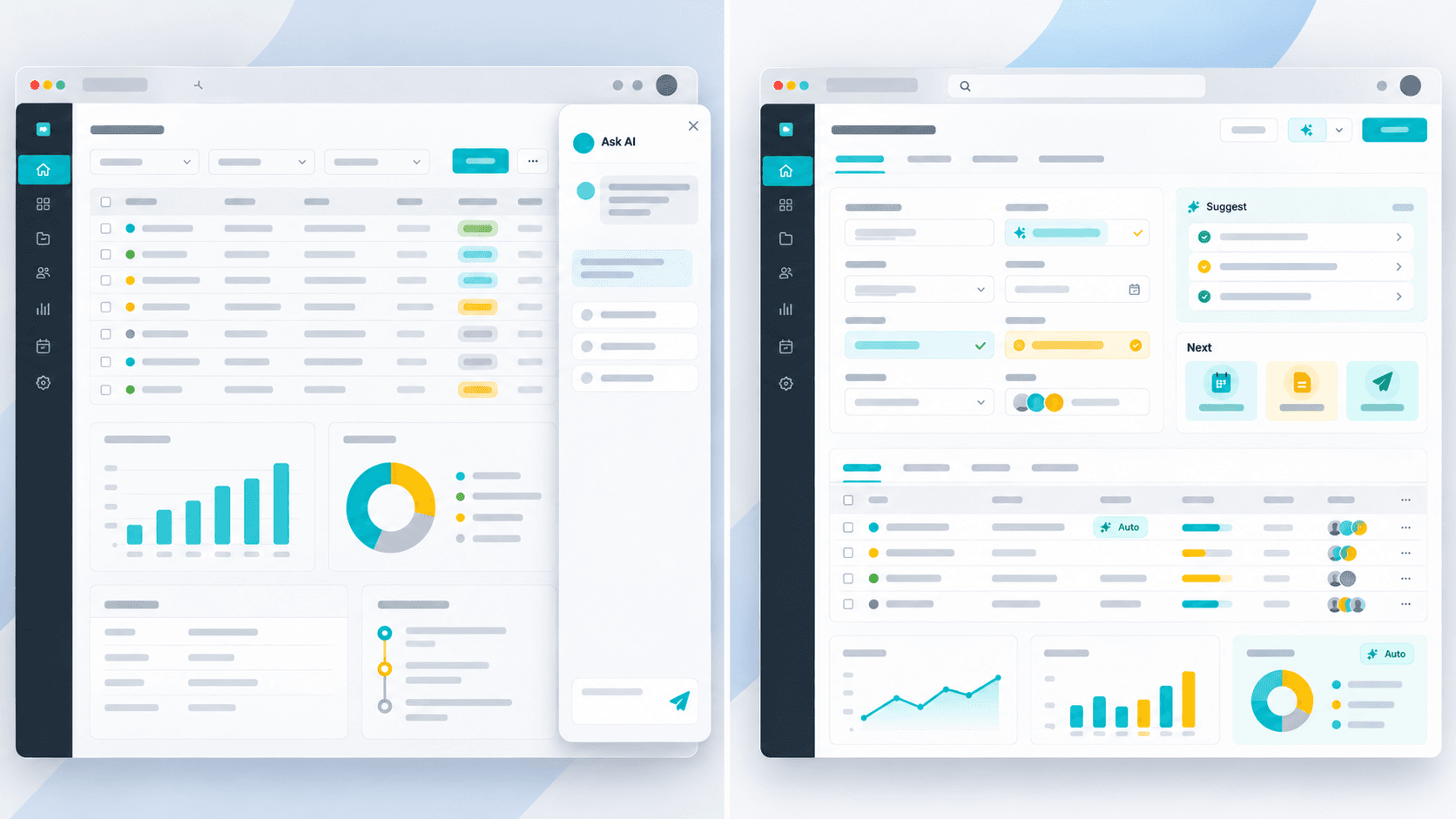
Electricity disappeared into appliances
There is an analogy about AI that has stuck with me.
In 2017, Andrew Ng famously described AI as “the new electricity”, arguing that electricity transformed industry after industry and AI would do something similar.[6]
The analogy becomes even more interesting when you think about the interface.
Most of us do not wake up thinking:
“I’d like to use some electricity today.”
We make coffee. Turn on the lights. Take a lift. Open a laptop.
If someone at a conference asked, “What do you use electricity for?”, the question would sound strange because electricity has disappeared into thousands of products and behaviours.
AI may be heading in the same direction.
Today we still talk about “using AI” because the technology is new enough to remain visible. We open an AI product, enter a prompt and watch the AI respond.
Mature technology tends to recede into the experience.
For GridMenu, that means someone should be able to change the presentation of a real food photograph by choosing what they want, rather than learning how to describe that choice to a model.
The model still matters. The prompts still matter. The AI still does the work.
They just do not necessarily need to be the interface.
Perhaps one sign that AI-native software has matured will be that users stop noticing the AI at all.